Author Archive

VMware: Add permissions are missing in ESX 3.5


15 Jul

So yesterday I wanted to add permissions to a resource pool on ESX 3.5 but I could not do that because the option was not there.
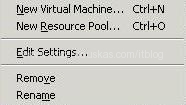
That looked strange because I was able to do that on other ESX server that was running version 3.0.2
Apparently for some reason VMware removed that option starting version 3.5. so the only way to add permissions is to used Virtual Centre which of course you have to buy. Can I ask why VMware did that ?
SCCM: System reboots after loading WinPE


10 Jul

So you are trying to OSDnew machine using SCCM. The machine boots from PXE and starts loading WinPE. You see WinPE SCCM background image with a window ‘Windows is starting up‘ after that you briefly see message ‘Preparing network connection‘. The message disappears and you only see the background, and then system reboots.

In the task sequence log file smsts.log you find the error messages:
Failed to download pxe variable file. Code(0x00000001)
PxeGetPxeData failed with 0x80004005

This means that WinPE Boot image does not have required network card(NIC) driver in order to access SCCM servers.

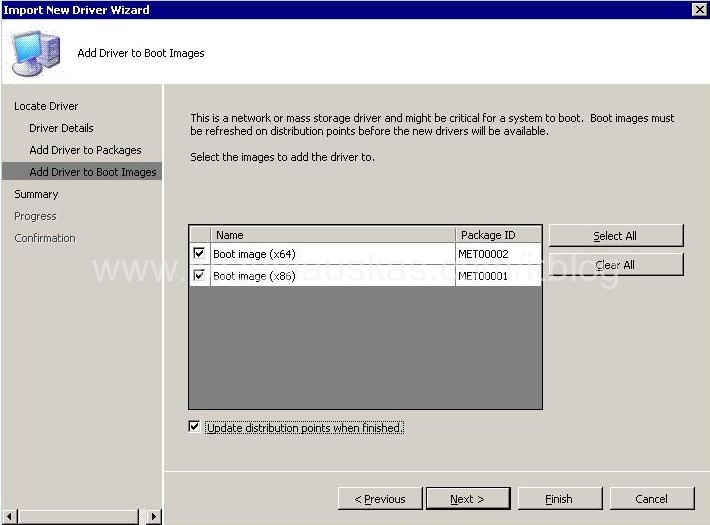
To solve the problem, you have to download NIC drivers and add them to Boot image. I have created a separate post how to do that.

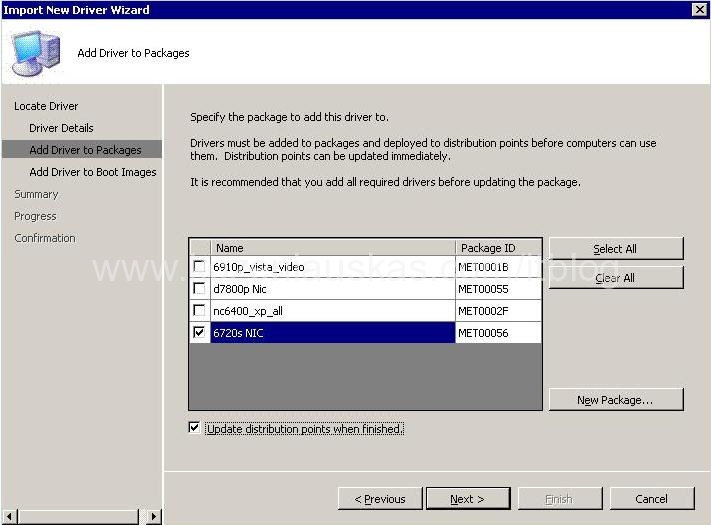
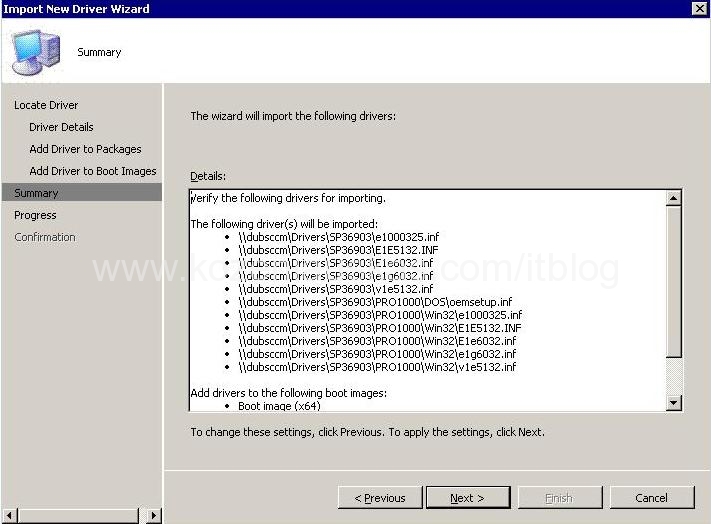
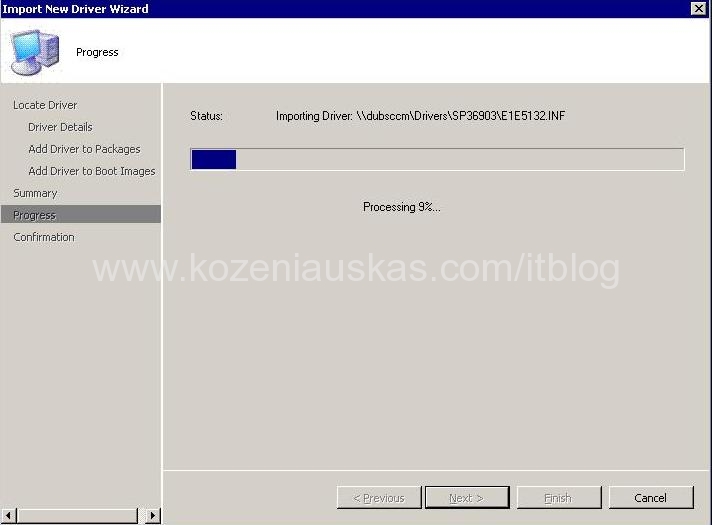
SCCM: How to Import Drivers, create driver packages and add them to WinPE boot images


10 Jul

First do the following:
a. Download and extract the drivers to a network share
b. Create a network share that will be used for drivers storage.(I’ve created this on one of the SCCM servers)

Once you have the thing above you can Open Configuration Manager Console
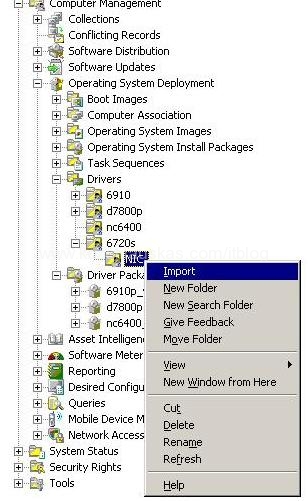
1. Go to Computer Management>Operating Systems Deployment>Drivers
2. Now you can right click on Drivers and choose import but I would recommend first to create some kind of folder structure(like model\device) as this will make things easier in the future. Once you have folders created right click on it and select Import.
(more…)

SCCM: Image Capture Wizard has failed with error code (0x80070020)


08 Jul

During image capture process you receive the following error:
Image Capture Wizard has failed with error code (0x80070020). For more information, please contact your system administrator or helpdesk operator.

This error might appear at any time during the image capture procedure.

In the smsts.log the following messaged error are logged:
Failed to run the action: Capture the Reference Machine.
The process cannot access the file because it is being used by another process. (Error: 80070020; Source: Windows)

The execution of the group (Capture the Reference Machine) has failed and the execution has been aborted. An action failed.
Operation aborted (Error: 80004004; Source: Windows)

Failed to run the last action: Capture the Reference Machine. Execution of task sequence failed.
The process cannot access the file because it is being used by another process. (Error: 80070020; Source: Windows)

As you can see from the error messages the problem is caused by inaccessible file. In my case capture wizard could not access the files located in HP restore partition. Because restore partinion was not needed l I’ve deleted it and image capture ran OK.

Microsoft: Hyper-V released to manufacturing


27 Jun

Hyper-V, a key feature of Windows Server 2008, has now released to manufacturing (RTM) and is available for deployment into production environments. A beta of Hyper-V was included with Windows Server 2008 and this update provides the final release. (Read More)

Exchange: Problem installing SP1 on Exchange 2007


25 Jun

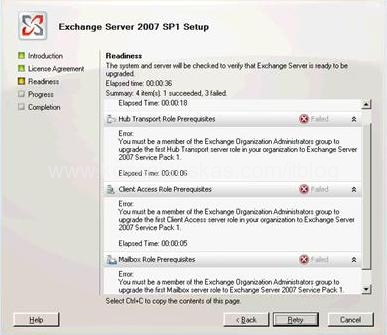
Here is a problem I came across while trying to install Service Park 1(SP1) on Exchange 2007.
During the checking I was getting the following error:

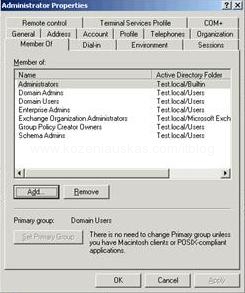
You must be a member of the Exchange Organization Administrators group to upgrade the first Hub Transport server role in your organization to Exchange Server 2007 Service Pack 1.

End also the same error for all the other roles.

Although I knew that the user have all necessary rights I’ve double checked that and it does.

Solution was very simple I needed to reboot exchange server and after reboot everything worked just fine.

Virtuozzo: Troubleshooting and repairing service container


24 Jun

Here is one problem that I ran into once Virtuozzo server was rebooted.
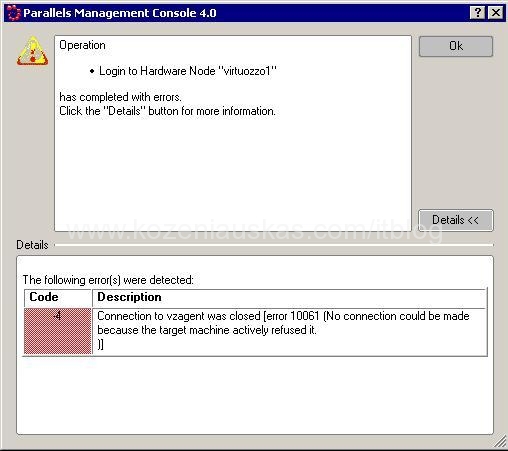
The server came up ok without any errors but once I started Parallels Management Console I was getting the following error:
Connection to vzagent was closed [error 10061 (No connection could be made because the target machine actively refused it.)]
(more…)

SCCM: How to Create Stand-alone media


23 Jun

First off all why would you need a Stand-alone media? The answer is simple this would be the only fast way to image remote or local PC that does not have connection to the network.
Basically Stand-alone media puts the OS image and the software packages onto CD, DVD or USB stick. The only thing that you need then is just to send the media to user. The user inserts CD, DVD or USB stick into computer and in 10-30 minutes computer is ready. (Well that should work in theory 🙂 ) (more…)

How to uninstall software if it is not listed in Add or Remove Programs


06 Jun

Very often I’m being asked a question “How to uninstall software if it is not listed in Add or Remove Programs ?” or “Is the an alternative way of removing programs ?”

The procedure is very simple and here are the steps: (more…)

SCCM: Microsoft System Center Configuration Manager 2007 SP1 Update


23 May

Microsoft System Center Configuration Manager 2007 SP1 Update is available for download.

IT Blog

Just another blog on Kozeniauskas.com Network