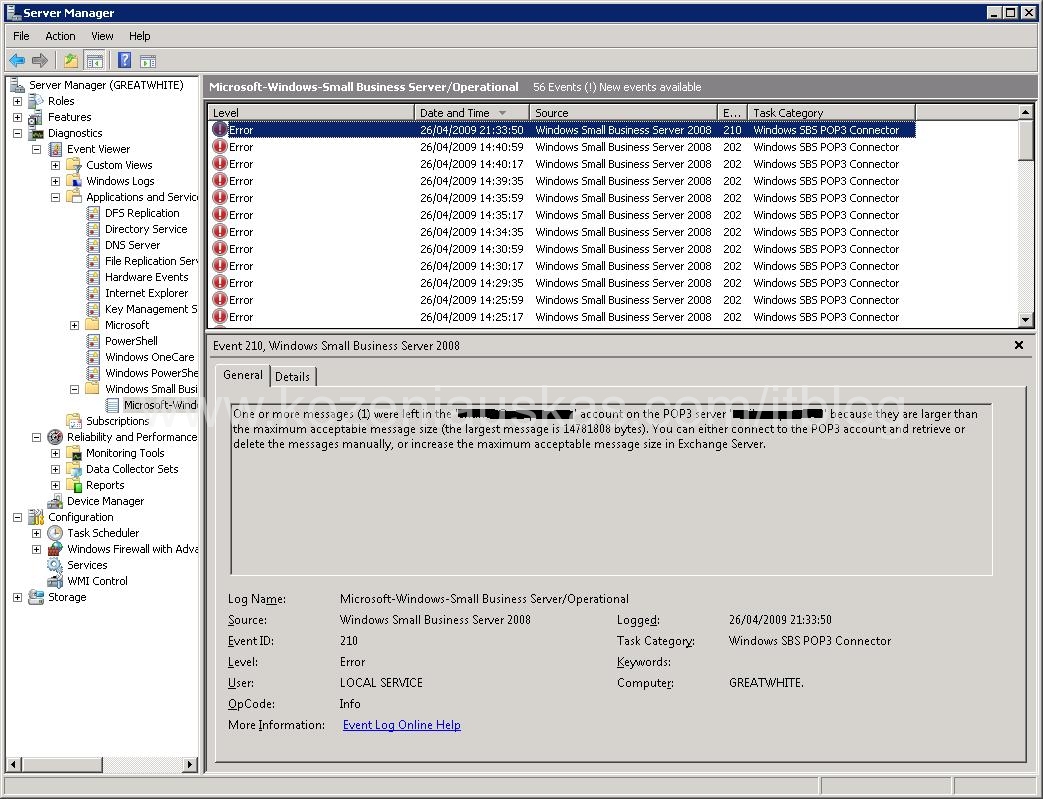
By default message size in SBS2008 is set to 10MB. So if you are using Pop3 Connector to get mails and someone sends an email with attachment that is more than 10MB, Pop3 connector will not download the message and will log an error with Event ID: 210
One or more messages (1) were left in the ’email’ account on the POP3 server ‘mail.server.com’ because they are larger than the maximum acceptable message size (the largest message is 14781808 bytes). You can either connect to the POP3 account and retrieve or delete the messages manually, or increase the maximum acceptable message size in Exchange Server.
As the error says in order to fix the problem you need to increase the, message size and this is exactly what I did. I went to Exchange Management shell and increased the message size on the 2 receive connectors from 10MB to 50MB.
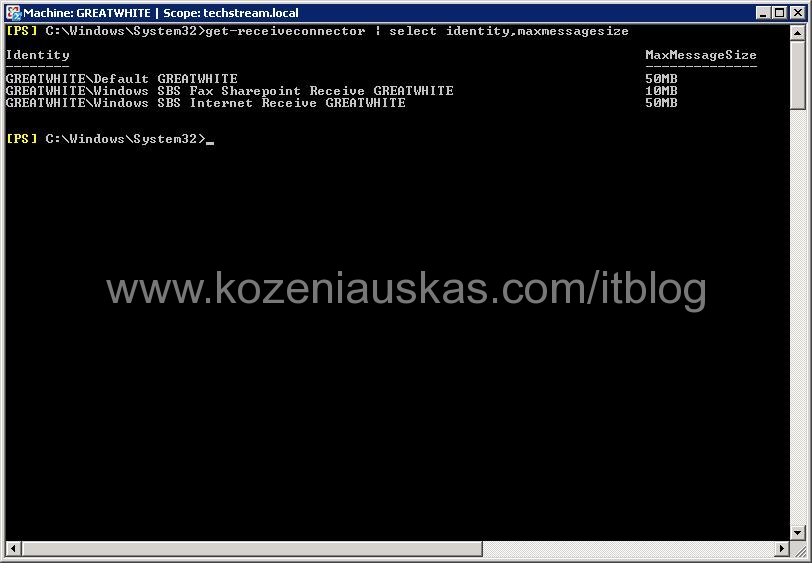
But it still did not worked apparently you have to increase the message size also on FAX receive connector.
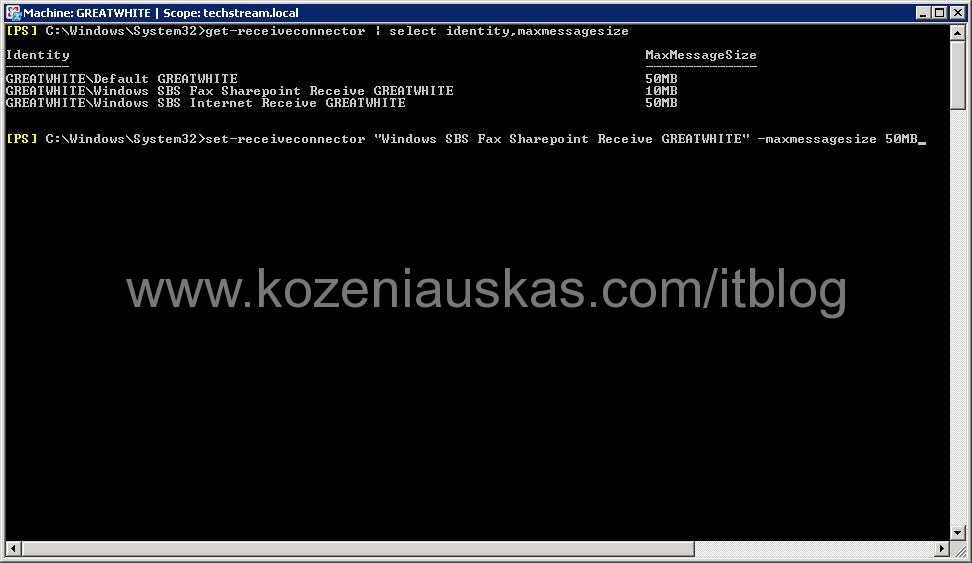
Once that was done the mails started coming in.
Tags: 10MB, Pop3 Connector, sbs 2008, SBS2008, size limit, Small Bussines Server 2008

Tanks!
thx
IT’s works,
very funy joke from MS
THANKS!!!
But why all 3 connectors?
Thanks!
Great find! I have trying to get this to work for a couple days.
excellent submit, very informative. I ponder why the other experts of this sector don’t realize this. You must continue your writing. I’m confident, you have a huge readers’ base already!
Thanks so much – this was really helpful
Thanks for the guide 😉
Thanks!!! This also works with SBS2011. Wouldn’t have guessed the fax connector receive size was the issue!
When Microsoft will start to use proper naming syntax in their configuration parameters will be always toooo late.
If someone understand why POP3 connector use the settings for FAX please let us know.
Thank you for this!
Stupid but true:)
Well done, many thx
It works! Thank you… Don’t understand why but searched for like 1 hour about this problem..
Hey ! Thank you for the tip.
Great Job!
Thank you for this important information!
It works fine now 😉